You’re deep into a ranked match, crosshair locked on a doorway, waiting for the perfect moment to flick onto a target. But your hand is cramping, your wrist aches from hours of play, and when the enemy finally peeks, your shot lands two pixels wide. The kill that should have been yours goes to someone else. For competitive FPS gamers, this scenario isn’t just frustrating—it’s the difference between climbing ranks and plateauing indefinitely.
The problem isn’t always your skill or reaction time. Often, it’s the tool in your hand. Choosing an ergonomic mouse that delivers both sustained comfort and high-performance precision is one of the most impactful decisions an FPS player can make. Yet with hundreds of options flooding the market, each promising superior tracking and revolutionary design, finding the right fit feels overwhelming. This guide cuts through the noise with a comprehensive, step-by-step approach designed specifically for professional and aspiring competitive gamers. You’ll learn exactly what features matter, how to match a mouse to your unique hand anatomy and play style, and how to optimize your setup so that comfort and performance work together rather than against each other.
Why Ergonomics Are Non-Negotiable for FPS Gaming Success
In competitive FPS gaming, milliseconds determine outcomes. A single flick shot, a split-second reaction to movement in your peripheral vision, or the steady tracking of a strafing opponent—all of these demand that your hand and wrist operate at peak efficiency without hesitation or discomfort. When your mouse forces your hand into an unnatural position, your body compensates in ways that directly sabotage your gameplay. Muscles tense prematurely, micro-adjustments become jerky rather than fluid, and fatigue sets in far earlier than it should.
The consequences extend beyond a single bad session. Repetitive strain injury, carpal tunnel syndrome, and tendonitis are alarmingly common among gamers who log thousands of hours with poorly designed peripherals. These conditions don’t announce themselves dramatically—they creep in as subtle stiffness, occasional numbness, or a slight tremor that wasn’t there six months ago. By the time pain becomes impossible to ignore, recovery requires weeks or months away from the game entirely.
Ergonomic design addresses these issues at their root. A properly shaped mouse distributes pressure across your hand naturally, reduces the force needed to execute movements, and allows your wrist to maintain a neutral position throughout extended sessions. This means your reaction time stays consistent in hour three just as it was in minute five. For professional players practicing eight to twelve hours daily, ergonomic integrity isn’t a luxury—it’s the foundation that makes sustained improvement possible. Without it, you’re training your aim on a timer that inevitably runs out.
The Link Between Comfort and In-Game Performance
When your hand is relaxed and properly supported, your brain dedicates fewer resources to managing discomfort and more to processing game information. Comfortable players maintain sharper focus on audio cues, minimap awareness, and crosshair placement simultaneously. Their aim remains smooth because relaxed muscles produce more precise, controlled movements than tense ones. In clutch situations where adrenaline spikes, a comfortable grip prevents the death-grip reflex that causes overcompensation and missed shots. Players who report feeling “locked in” during peak performance almost universally describe physical ease as a prerequisite—their mouse feels like an extension of thought rather than a tool they’re fighting against.
Essential Features to Look for in an Ergonomic Gaming Mouse
Understanding what separates a genuinely ergonomic FPS mouse from a marketing gimmick requires examining specific technical and design elements. Every feature interacts with the others—a sensor means nothing if the shape forces your hand into tension, and a perfect shape is wasted on a mouse too heavy to execute fast flicks. The following components form the checklist you should evaluate before committing to any purchase, and understanding why each matters will prevent you from being swayed by spec sheets that look impressive but don’t translate to competitive advantage.
Lightweight Mice: The Key to Speed and Agility
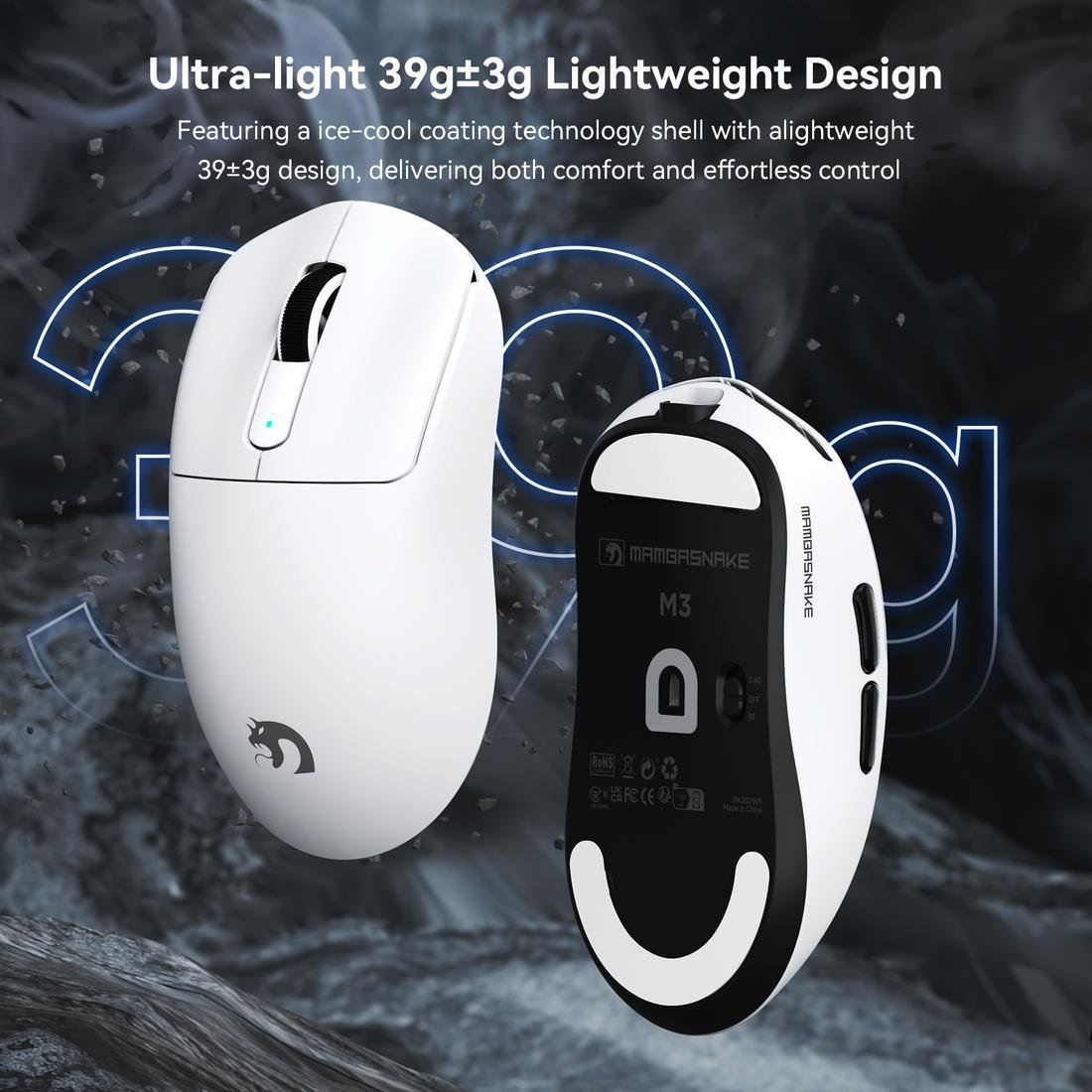
Weight is arguably the single most transformative factor in FPS mouse performance. When you’re executing a 180-degree flick to counter an enemy behind you, every gram of resistance translates to additional force your wrist and forearm must generate. Over thousands of repetitions per session, that extra effort compounds into fatigue and inconsistency. The competitive standard has shifted dramatically toward ultralight designs, with most professional FPS players gravitating toward mice in the 50 to 70 gram range. These weights allow for explosive, effortless movements while still providing enough physical presence to maintain control during slow, precise tracking. Manufacturers like MAMBASNAKE and others achieve these low weights through honeycomb shell designs, magnesium alloy skeletons, and minimalist internal layouts that eliminate unnecessary components. The key is finding a weight that feels responsive without feeling insubstantial—you want the mouse to disappear during gameplay, neither dragging behind your intent nor skating ahead of it.
Ergonomic Shape and Superior Mouse Support
Shape determines how your hand interfaces with the mouse across every grip style, and getting this wrong undermines every other feature. Palm grip users need a mouse with a pronounced rear hump that fills the hand’s natural arch, supporting the palm fully so fingers can rest without curling under tension. Claw grip players benefit from a shorter body with a moderate hump positioned further back, allowing the fingers to arch aggressively for quick clicks while the palm’s base still contacts the mouse for stability. Fingertip grip demands a compact, low-profile design with minimal rear contact, giving maximum freedom for micro-adjustments driven entirely by finger dexterity. Beyond the primary shape profile, subtle design elements matter enormously: flared sides prevent the mouse from slipping during aggressive swipes, textured coatings maintain grip during sweaty sessions, and gently sloped sides reduce pinch force on the thumb and ring finger. The right ergonomic shape means your hand maintains a neutral, relaxed posture where tendons aren’t stretched and muscles aren’t contracted unnecessarily.
Precision Sensors Tailored for FPS Games
The sensor is your mouse’s brain, and in FPS gaming, it must translate physical movement into cursor displacement with zero deviation, zero smoothing, and zero delay. Modern optical sensors from leading manufacturers offer flawless tracking at virtually any speed a human hand can produce, but the specifications that matter most are polling rate, lift-off distance, and tracking consistency across different surfaces. A polling rate of 1000Hz is the baseline for competitive play, meaning the sensor reports position to your PC one thousand times per second—though newer mice now offer 4000Hz and 8000Hz for even finer temporal resolution. Low lift-off distance ensures the cursor stops moving the instant you pick up the mouse to reposition, preventing unwanted tracking during resets. DPI itself is less about raw numbers and more about finding a sensitivity that lets you use your full mousepad range for the turning radius your game demands. Most professional FPS players settle between 400 and 1600 DPI, relying on large arm movements for consistency rather than tiny wrist flicks that amplify sensor noise.
Your Step-by-Step Guide to Choosing the Perfect Mouse
Knowing what features matter is only half the equation. The real challenge lies in applying that knowledge to your specific situation—your hands, your habits, and your competitive goals. A mouse that transforms one player’s aim can feel completely wrong for another, even at identical skill levels. The following methodology eliminates guesswork by walking you through a structured selection process that accounts for your anatomy, priorities, and real-world testing needs. Follow these steps in order, and you’ll arrive at a shortlist of mice that genuinely match your requirements rather than chasing whatever a streamer happens to be sponsored by this month.
Step 1: Analyze Your Hand Size and Dominant Grip Style
Before browsing any product page, measure your hand from the base of your palm to the tip of your middle finger, and across the widest point of your knuckles. These two measurements—length and width—determine which mouse dimensions will feel proportional rather than cramped or oversized. Hands measuring under 17 centimeters in length generally pair best with mice under 120 millimeters long, while hands exceeding 19 centimeters need fuller bodies that prevent fingers from hanging off the front edge. Next, identify your natural grip by paying attention to how you hold your current mouse during intense gameplay, not during casual browsing. Notice where your palm contacts the mouse, whether your fingers arch or lay flat, and how much of the movement originates from your wrist versus your arm. If your palm rests fully on the mouse with fingers extended, you’re a palm gripper needing generous rear support. If only the lower portion of your palm touches while fingers curve sharply, claw grip mice with aggressive humps will serve you. If your hand hovers with only fingertips making contact, prioritize compact, low-profile designs. Document these findings before moving forward—they form the non-negotiable foundation of your search.
Step 2: Prioritize Features Based on Your FPS Gaming Needs
With your physical profile established, rank the features discussed earlier according to your specific competitive context. If you play fast-twitch shooters demanding constant 180-degree turns and rapid target switching, weight becomes your top priority—shave every possible gram. If your game rewards holding angles and making single precise shots, sensor consistency and shape comfort during extended hold periods matter more than raw lightness. Consider your session length honestly: players practicing four or more hours daily should weight ergonomic shape higher than someone playing in shorter bursts. Button layout deserves attention too—some players rely heavily on side buttons for abilities or weapon switching, requiring thumb buttons positioned where they’re accessible without shifting grip. Create a simple ranked list: place your top three priorities in order, then use them as filters when evaluating specific models. A mouse that excels at your first priority, satisfies your second, and adequately meets your third will outperform one that scores moderately across all categories without excelling where you need it most.
Step 3: Test, Adjust, and Customize for Your Setup
Once you’ve narrowed candidates to two or three models based on measurements and priorities, physical testing becomes essential. If possible, visit a retailer that stocks gaming peripherals or attend a LAN event where you can handle mice in person. Grip each candidate naturally, simulate flick movements, and pay attention to whether your hand settles into a relaxed position or requires conscious adjustment. After purchasing, resist the urge to judge immediately—allow at least a week of consistent play for muscle memory to adapt to the new shape. During this period, experiment with DPI settings methodically: start at a sensitivity where a full swipe of your mousepad produces roughly a 360-degree turn, then adjust in small increments until tracking feels instinctive. Set your polling rate to the highest stable option your system supports. Fine-tune lift-off distance so repositioning feels clean without accidental cursor jumps. Finally, consider complementary accessories—a large, consistent mousepad reduces friction variability, while mouse grip tape adds texture exactly where your fingers need traction. These customizations transform a good mouse into one perfectly calibrated to your hand, your desk, and your competitive demands.
Advanced Tips for the Competitive FPS Gamer
Once you’ve selected and configured your ergonomic mouse, the competitive edge comes from maintaining that setup at peak performance while protecting the body that operates it. Professional players treat their peripherals and physical health as interconnected systems—neglecting either one degrades the other over time.
Balancing Peak Performance with Ergonomic Health
Integrate a brief hand and wrist stretching routine before every session and during natural breaks between matches. Extend your fingers wide, rotate your wrists slowly through their full range, and gently pull each finger back to stretch the forearm flexors. These movements take under two minutes and dramatically reduce cumulative strain. Beyond your mouse, your desk setup matters—position your elbow at roughly 90 degrees with your forearm parallel to the desk surface, ensuring your wrist doesn’t bend upward or downward to reach the mouse. If you notice tension building during play, your sensitivity might be forcing excessive wrist movement; consider lowering it slightly and compensating with larger arm sweeps. Some players also benefit from alternating between two mice with slightly different shapes across sessions, preventing repetitive stress on identical pressure points while maintaining similar muscle memory patterns.
Maintenance and Firmware Updates for Longevity
A mouse that performed flawlessly at purchase can degrade subtly without proper care. Clean your mouse feet monthly with isopropyl alcohol to remove debris that creates inconsistent glide, and replace worn PTFE skates before they expose the hard shell beneath. Wipe the sensor lens gently with a microfiber cloth to prevent tracking anomalies caused by dust accumulation. Check the manufacturer’s software regularly for firmware updates—these often resolve polling rate stability issues, improve sensor calibration algorithms, and fix click latency inconsistencies that you might not consciously notice but that affect your performance at the margins where competitive matches are decided.
Find Your Perfect Ergonomic FPS Mouse and Elevate Your Game
Choosing the best ergonomic mouse for FPS gaming isn’t about chasing the highest spec sheet or copying a professional player’s setup—it’s about understanding your own body and matching it to a tool that amplifies your capabilities rather than limiting them. The principles are clear: ergonomic design protects your health and sustains your performance across thousands of hours of competitive play. The essential features—lightweight construction, a shape matched to your grip, and a sensor built for precision—form the technical foundation of any worthy candidate. And the personalized selection process of measuring your hand, ranking your priorities, and committing to real-world testing ensures you land on a mouse that feels like it was designed specifically for you.
The best ergonomic mouse for gaming is ultimately the one you forget you’re holding because it moves exactly when and where your brain intends, session after session, without pain or fatigue pulling you out of the zone. Take the measurements, apply the framework in this guide, and make your choice with confidence. Your aim, your rank, and your long-term health will reflect that decision for years to come.