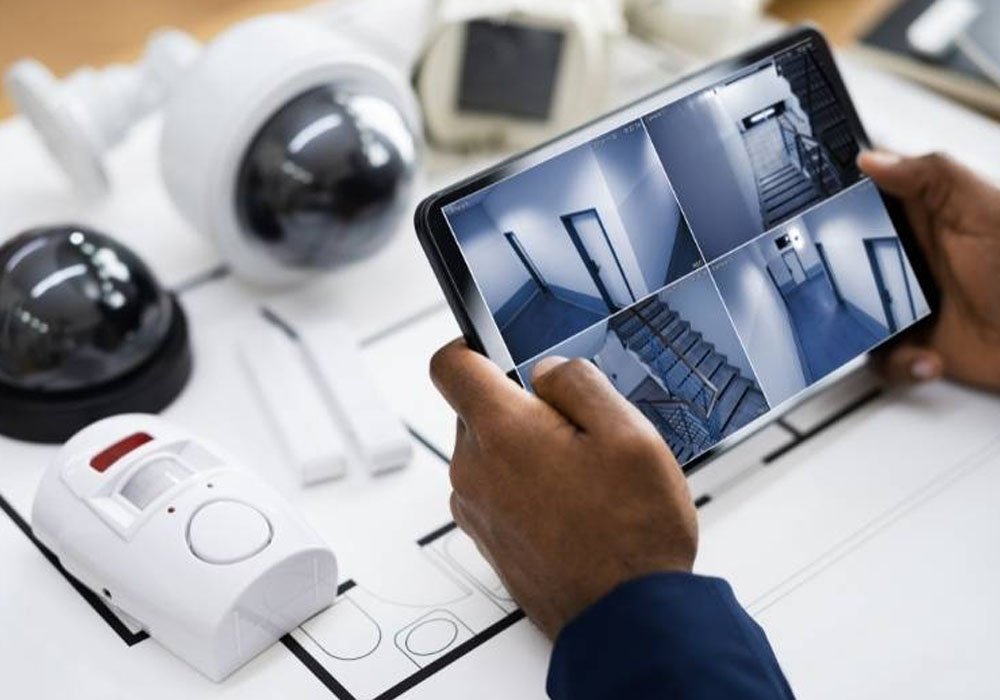
Key Features of Modern Business Surveillance Systems
Modern business surveillance systems are way more than just cameras recording video. They’ve gotten pretty smart, actually. Think of them as your always-on security detail, but without the constant payroll. These systems are built to give you a clear picture of what’s happening, day or night, and to take action on problems before they get out of hand.
Real-Time Video Monitoring and Alerts
This is probably the most basic, but still super important, feature. You get to see live video feeds from all your cameras, no matter where you are. If something unusual pops up, like someone lingering where they shouldn’t be or a door opening at an odd hour, the system can send an alert straight to your phone or email. It’s like having eyes everywhere, all the time.
AI-Assisted Threat Detection Capabilities
This is where things get really interesting. Instead of just watching a video, these systems use artificial intelligence to actually understand what’s happening. AI can spot patterns that might indicate trouble, like someone trying to force a door or unusual movement in a restricted area. It’s really good at telling the difference between a delivery person dropping off a package and someone trying to break in. This means fewer fake alarms and more focus on actual risks.
Scalable Architecture for Growing Companies
As your business grows, your security needs change. A good surveillance system shouldn’t hold you back. Modern systems are designed to be flexible. You can start with a few cameras and easily add more as you expand into new locations or need to cover more areas. This means you’re not stuck with outdated equipment or a system that can’t keep up with your business.
Remote Access for Multi-Site Oversight
If you have more than one location, keeping an eye on everything can be a headache. Remote access lets you log in from anywhere – your office, your home, or even on the go – to view live feeds, check recorded footage, and manage alerts across all your sites. It makes managing security for a growing, multi-location business much simpler and more efficient.
How Business Surveillance Systems Deter and Respond to Threats
It’s not just about catching bad guys after the fact. Modern surveillance systems are designed to actively stop trouble before it even starts. Think of it as having a watchful eye that can actually do something about what it sees.
Active Intervention with Two-Way Audio
One of the coolest features is the ability to talk back. When a system detects something suspicious, like someone lingering where they shouldn’t be or trying to force a door, trained operators can immediately use two-way audio. This means they can broadcast a warning, ask the person what they’re doing, or tell them they’re being watched. Often, just hearing a voice is enough to make someone think twice and move along. It’s a simple but effective way to deter petty theft, vandalism, or trespassing without needing to send someone out there immediately.
Immediate Escalation to Security Teams or Authorities
When a situation is more serious than a simple warning can handle, the system is set up to escalate quickly. After an operator verifies a threat, they can instantly alert your internal security team, management, or even directly contact local law enforcement. This isn’t a slow process of filling out forms; it’s about getting the right people involved at the right time. This rapid response can make a huge difference in preventing damage, recovering stolen goods, or ensuring the safety of your premises.
Reduction of False Alarms Through Intelligent Verification
We’ve all heard about security systems that go off for no reason. That’s a major headache, wasting time and resources. Modern systems use AI to help filter out the noise. They can analyze movement patterns and behaviors to distinguish between a delivery person making a drop-off and someone trying to break in. This intelligent verification means that when an alert does come through, it’s much more likely to be a real issue that needs attention. This saves your team from chasing down phantom threats and lets them focus on what truly matters.
The goal is to move from just recording events to actively preventing them. It’s about having a system that’s smart enough to spot trouble and empowered enough to do something about it before it becomes a bigger problem.
Tailoring Surveillance Solutions for Different Business Environments
Designing an effective business surveillance system isn’t a one-size-fits-all deal. Different industries and locations bring their own set of problems, risks, and must-have requirements to the table. Let’s break down how surveillance strategies can be fine-tuned for four of the most common business environments.
Retail Security and Loss Prevention Strategies
Retailers contend with high foot traffic, crowded aisles, and nonstop transactions—all creating openings for theft and shrinkage. To get the most out of a surveillance setup, stores often need:
-
Strategic camera placement near entrances, registers, and high-value product areas
-
Real-time monitoring by professionals who can react as events unfold
-
AI analytics to flag suspicious behavior patterns (like loitering or repeat visits to the same spot)
-
Incident documentation for insurance, investigations, and loss prevention reporting
|
Feature |
Benefit |
|
Entrance/Aisle Cameras |
Deterrence and evidence for incidents |
|
AI-Assisted Monitoring |
Lower false positives, better threat ID |
|
Two-Way Audio Capabilities |
Deter thieves with real-time warnings |
Replacing outdated record-only cameras with active monitoring is how retailers can actually stop theft in progress—not just review after it happens.
Manufacturing and Warehouse System Requirements
Warehouses and factories come with different headaches. Picture huge spaces, equipment everywhere, long hours, and a mix of rotating staff and visiting drivers. Surveillance systems here should include:
-
Cameras covering loading docks, storage aisles, and outdoor yards
-
AI tools that spot both safety hazards (like someone entering a restricted area) and theft attempts
-
24/7 monitoring so alerts are caught overnight or during off-shift hours
-
Integration with access control for sensitive zones
|
Security Need |
Surveillance Approach |
|
Inventory shrinkage |
Monitored cameras, event alerts |
|
Safety compliance |
Area-specific triggers, video logs |
|
Dock security |
License plate recognition, night vision |
Commercial Property and Office Space Protection
Offices and business parks have complex layouts—lobbies, elevators, parking areas, and sometimes multiple tenants. Here’s what the ideal surveillance setup usually offers:
-
Cameras covering all entrances/exits, reception, and parking
-
Remote monitoring for after-hours incidents
-
Two-way communication for real-time interventions
-
Incident flagging to notify building security or law enforcement immediately
Key steps to effective office surveillance:
-
Conduct a facilities risk evaluation
-
Install networked cameras with backup storage
-
Train staff on alert protocols
Critical Infrastructure Monitoring Approaches
Power stations, water plants, and similar facilities require something even more robust. The stakes are higher, with potential threats ranging from trespassing to sabotage. Top priorities include:
-
Perimeter detection and real-time analytics to spot unusual movement
-
Monitoring access to restricted machinery or hazardous areas
-
Integration with on-site alarms and emergency alerts
-
Centralized incident response by trained operators
|
Objective |
Security Solution |
|
Stop unauthorized access |
Smart sensors, perimeter cameras |
|
Prevent equipment tampering |
AI analytics, lockdown procedures |
|
Fast emergency response |
Remote notifications, auto-escalation |
The best surveillance setups result from hands-on evaluation. Without it, you’re stuck reacting rather than preparing for what’s likely to go wrong.
Integrating Business Surveillance Systems with Existing Infrastructure
So, you’ve got cameras already, maybe an older system that’s been chugging along for years. That’s great! It means you’ve already got a foundation. The good news is, you don’t always have to start from scratch. Most modern surveillance setups are designed to play nice with what you already have, or at least make upgrading pretty straightforward.
Upgrading Legacy CCTV Systems
Think of your old CCTV system like an old flip phone. It made calls, sure, but it didn’t do much else. Modern systems are more like smartphones – they connect, analyze, and actively help. When upgrading, you’re often looking to replace the ‘brain’ of the operation, not every single camera. Many newer systems can still use older analog cameras, at least for a while, or easily integrate with newer IP cameras. This means you can phase in upgrades, saving some cash upfront.
-
Assess compatibility: Check if your existing cameras can connect to new recorders or network video recorders (NVRs).
-
Consider hybrid solutions: Some systems allow you to mix old and new cameras.
-
Plan for bandwidth: If you’re moving to higher-resolution IP cameras, make sure your network can handle the extra data.
It’s not uncommon for businesses to have a mix of older and newer cameras. The key is ensuring they all feed into a central system that can make sense of the footage and, more importantly, act on it.
Ease of Integration with Access Control and Alarms
This is where things get really smart. Your surveillance system shouldn’t just be a standalone eye; it should talk to your other security tools. Imagine a door access system logs an unauthorized entry attempt. If your surveillance system is integrated, it can automatically pull up the camera feed for that door at that exact moment. Similarly, if a burglar alarm goes off, the surveillance system can be triggered to focus on the area and alert monitoring staff. This kind of connection means your security isn’t just a collection of separate parts; it’s a coordinated team.
Here’s a quick look at what integration can do:
|
System Type |
Integration Benefit |
|
Access Control |
Auto-record/display video on entry attempts |
|
Alarm Systems |
Trigger camera focus and alerts on alarm activation |
|
Building Management |
Monitor environmental sensors alongside video feeds |
Cloud-Based vs. On-Premises Solutions
This is a big decision, and it really depends on your company’s setup and preferences. On-premises means that all your recording equipment and data remain at your location. It gives you direct control, which some businesses prefer, especially those with strict data policies. Cloud-based, on the other hand, stores your video data remotely on servers managed by a service provider. This often means lower upfront hardware costs, easier scalability, and access from anywhere. However, it relies on a stable internet connection and raises questions about data privacy for some.
-
On-Premises: More control, potentially higher initial cost, requires local storage and maintenance.
-
Cloud-Based: Easier to scale, accessible remotely, subscription-based, relies on internet connectivity.
-
Hybrid: A mix of both, offering flexibility and redundancy.
The Role of Surveillance in Safety, Compliance, and Operations
Beyond just catching bad guys after the fact, modern surveillance systems play a much bigger role in how a business runs day to day. Think of it as an extra set of eyes that helps keep everyone safe, makes sure rules are followed, and generally smooths out operations.
Supporting Workplace Safety Protocols
Keeping your employees safe is a top priority, right? Surveillance cameras can help with that. They can monitor areas where accidents might occur, such as busy loading docks or areas with heavy machinery. If something looks unsafe, like a spill or equipment not being used correctly, the monitoring team can flag it. This means you can fix the problem before someone gets hurt. It’s about being proactive, not just reactive.
Incident Documentation for Insurance and Investigations
Let’s say something does happen – a break-in, a slip-and-fall, or even a dispute between employees. Having clear video footage is incredibly useful. It provides an objective record of what occurred. This documentation is gold when you’re dealing with insurance claims, internal investigations, or even if law enforcement gets involved. It helps clear things up quickly and fairly.
Here’s a quick look at what kind of documentation you can expect:
-
Timestamped Video Clips: Specific events are recorded with exact times.
-
Event Logs: Detailed notes on what was observed and when.
-
Exportable Footage: Easy ways to share video evidence for claims or reviews.
Compliance with Industry and Legal Standards
Many industries have specific rules and regulations they need to follow. For example, healthcare facilities must comply with HIPAA, and construction sites must comply with OSHA. Surveillance systems can help you meet these requirements. By monitoring access points, ensuring safety procedures are followed, and documenting any incidents, you create a clear audit trail. This shows regulators and auditors that you’re taking compliance seriously. It’s not just about security; it’s about running a legitimate and responsible business.
Choosing the Right Business Surveillance System for Your Company
So, you’re looking to beef up your company’s security with a surveillance system. That’s a smart move, especially as you grow. But where do you even start? It’s not just about slapping a few cameras up and calling it a day. You need a system that actually fits your business, your budget, and your specific worries.
Assessing Your Security Needs
First things first, you’ve got to figure out what you’re trying to protect and from what. Think about your business environment. Are you worried about shoplifting in a retail store? Or maybe unauthorized access in a warehouse? Perhaps it’s employee safety on a busy construction site. Different environments have different risks. You’ll want to walk around your property, inside and out, and pinpoint the weak spots. Where do people come and go? What are your most valuable assets? What areas are usually empty after hours? Answering these questions will give you a clear picture of where cameras are most needed and which features will be most helpful. Don’t forget to consider your operating hours, too – if you’re open 24/7, your surveillance needs will differ from those of a standard 9-to-5 operation.
Evaluating Professional Monitoring Options
Just having cameras is one thing, but what happens when they spot something? That’s where professional monitoring comes in. Instead of just recording footage for later review, a good system will have live monitoring. Trained professionals watch the feeds in real time. They can spot suspicious activity as it’s happening and take action. This could mean warning off a potential intruder with two-way audio or immediately alerting your security team or even the police. It’s about stopping problems before they get out of hand, not just documenting them after the fact. This active approach can significantly cut down on false alarms too, because a human is verifying what the AI detects.
Considering Scalability for Future Growth
Your business isn’t going to stay the same size, right? You’re growing! So, whatever surveillance system you choose now needs to grow with you. Consider adding more cameras later or expanding to new locations. A system that’s hard to expand or requires a complete overhaul every time you add a new camera can become a real headache and a big expense. Look for solutions that offer flexible architecture. This means you can easily add more cameras, storage, or even advanced features down the line without a massive disruption. It’s about making sure your security investment today will still serve you well years from now. Remember, professional cctv camera installation services can often help you plan for this scalability from the start.
Investing in a surveillance system is more than just buying equipment; it’s about implementing a strategy. A well-chosen system provides peace of mind, protects your assets, and supports your business operations effectively.
Frequently Asked Questions
What is a business surveillance system?
A business surveillance system uses cameras and sensors to watch over your business. It helps you see what’s happening in your store, warehouse, or office and can help stop theft or other problems.
Can I watch my cameras from my phone?
Yes, most modern business surveillance systems let you check live video from your phone or computer. This is great for keeping an eye on things when you’re not at the office.
How does AI help with security cameras?
AI can spot unusual or risky behavior by analyzing patterns. Instead of just recording, it can send alerts when something looks wrong, like someone trying to break in.
Will these systems work if my business grows or moves?
Many business surveillance systems are made to grow with you. You can add more cameras or move them around if you get a bigger space or open a new location.
Can I use my old cameras with a new system?
Sometimes you can, but it depends on what you already have. Some new systems work with older cameras, but you might need to upgrade some parts for better features.
Do I need someone to watch the cameras all the time?
Not always. Some systems have alerts and smart features that only notify you when there’s a real problem. You can also hire a company to watch the cameras for you if you want.